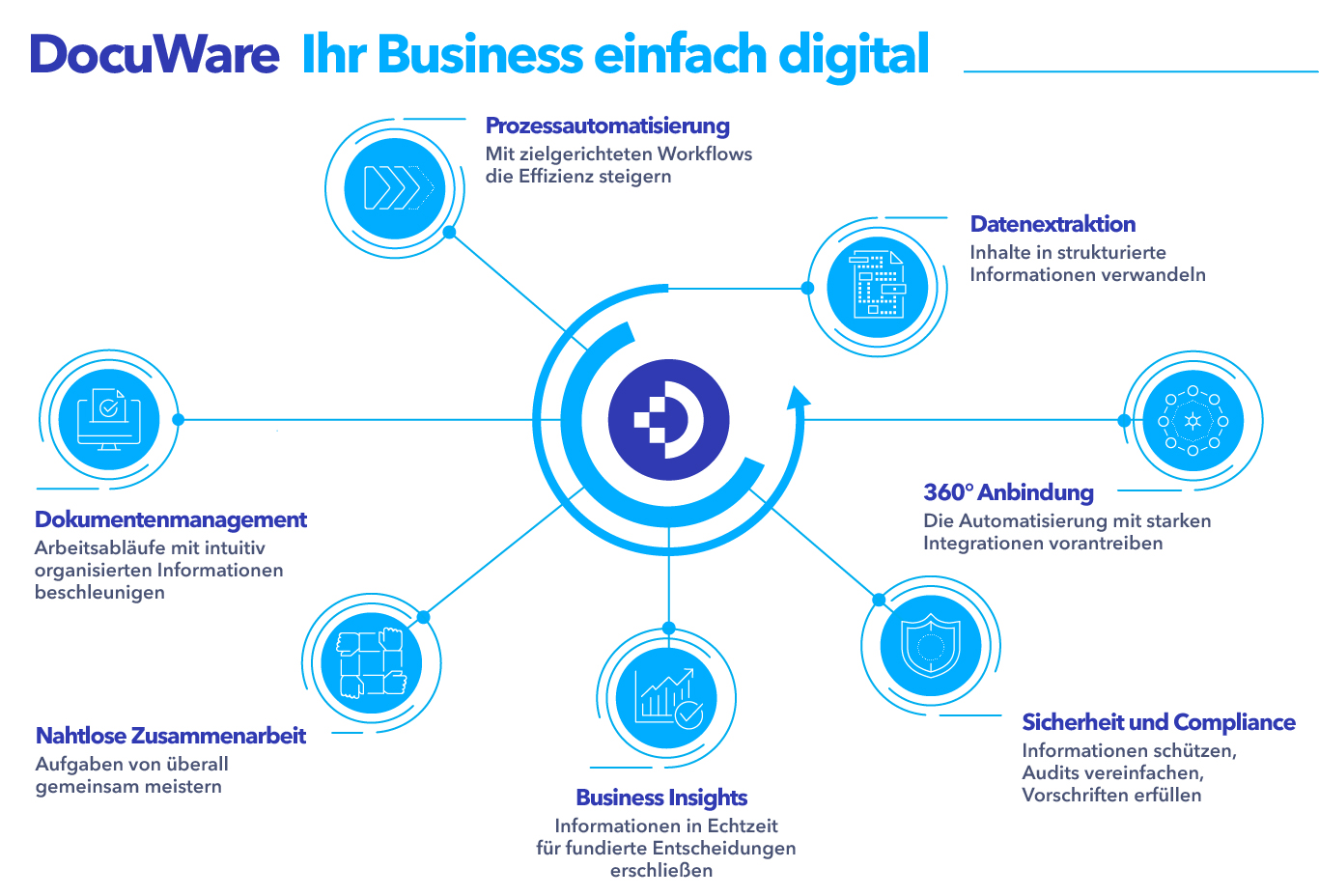
DocuWare files your documents digitally and makes them findable again. Invoices, contracts, delivery notes and correspondence sit in one place instead of being spread across folders, drives and mailboxes. Anyone looking for something finds it by its content and not by where it was filed.
Filing and finding
Documents are captured as they arrive and given the attributes you will search by later. The full text search covers the content of scanned documents as well. For recurring questions you set up searches of your own, for instance all open invoices from one supplier.
Getting there is a short step. Paper is scanned, email is filed straight from Outlook, files arrive by drag and drop. Recurring documents such as incoming invoices are recognised by DocuWare itself, which reads out supplier, date, number and amount so that nobody has to type them in.
Processes that carry on by themselves
An incoming invoice goes to the department for checking, then for approval and after that to accounts. Whoever is up next sees it in their task list, and nobody has to ask where a case has got to. The same works for holiday requests, purchase requisitions and any other approval that is customary at your place.
We build the processes together with you: who may approve up to what amount, what happens when someone is away, when a reminder goes out. Every step stays traceable, and during a tax audit that is the difference between a quiet week and a long one.
Connected to your other programs
Archive from Outlook, open the matching document from your inventory management, hand accounting data over to DATEV. DocuWare works with the programs you use anyway. For myfactory and WinLine we set the connection up ourselves. An overview of the other applications can be found in the manufacturer’s list.
Retention and proof
Filed documents cannot be altered unnoticed, every version stays traceable, and who may see what is something you set through permissions. DocuWare is certified to GoBD, ISO/IEC 27001 and DIN EN ISO 9001 among others. That means you meet the requirements for audit proof retention without having to arrange it yourself.
Retention periods run by themselves: what has to be kept for ten years stays for ten years, and what may be deleted afterwards is proposed for deletion. That too is a requirement of the GDPR which is hard to meet by hand.
Authorised partner and certified team
We are an authorised DocuWare partner. Our staff hold seven certifications from the partner programme: four technical ones as Technical Expert for consulting, setup, configuration and support, plus three from the sales programme as Sales Expert and Sales Professional.





What it gets used for day to day
The four areas where businesses notice a difference soonest. There is no need to start with all of them, one is usually enough.
Incoming invoices
Invoices arrive by post, as a PDF in the mailbox or as an e-invoice. DocuWare reads out supplier, amount, date and the individual line items and sends the document on its way through checking and approval. Nothing gets typed in any more.
Contracts
Leases, maintenance agreements, insurance policies. All in one place, with their deadlines attached. Anyone wanting to give notice gets the reminder in good time instead of three weeks too late.
Personnel files
Employment contracts, references, certificates. From 2027 documents relevant to pay must be held electronically and in audit proof form. Anyone who starts today will have it behind them by then.
Quality management
Test instructions, certificates, records. Every version stays traceable, and in an audit the proof is a search query rather than an afternoon’s work.
Where the documents sit
The choice is yours. In the cloud DocuWare runs the environment itself, on your premises it runs on your own server, and the two can be mixed. What makes sense for you depends on your requirements and on what you already run.
For the evidence auditors and customers ask for, DocuWare brings the usual certifications with it, among them ISO 27001 for information security, ISO 9001 for quality management and SOC 2. The filing meets the GoBD.
What that means in figures
The figures below are not ours. They come from studies and from reports by businesses that have made the change. How much of it reaches you depends on how you work today.
Close to 20 euros per paper invoice
That is what it costs on average to process one invoice on paper, counted across capture, checking, approval and filing. The figure comes from a market study by Billentis.
10.5 days from arrival to posting
That is how long a paper invoice takes on average from arrival to being posted, in individual cases up to 30 days. The figure was collected by B&L Management Consulting. By then the early payment discount is usually gone.
80 per cent lower costs
That is how far the cost per invoice falls when the route runs automatically, and processing becomes 73 per cent faster. Both values come from a survey by Ardent Partners.
Two examples from practice: at the Bavarian Tennis Association an approval now takes two days instead of three weeks. Retorte GmbH in Röthenbach an der Pegnitz processes around 2,500 incoming invoices a year and saves between 50 and 100 working hours a month doing so. Both are reports from DocuWare, not from us.
Whether it pays off for you can be worked out beforehand. All it takes is the number of incoming invoices a month and the answer to the question of how many hands an invoice passes through today.
What we take on
We set the archives up, define the search terms and build the processes the way your business actually works. After that we train the users and stay reachable when something changes. We work with DocuWare ourselves every day, from the incoming invoice through to approval.
If you would like to know what this would look like at your place, we will show you using your own documents.